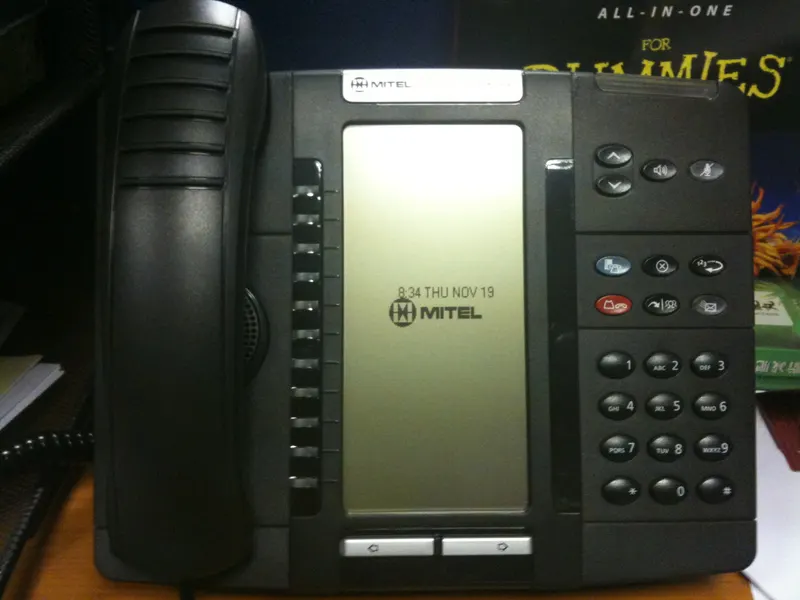
VoIP runs your phone service over your internet connection and is managed in software; traditional landlines run over dedicated copper and live in hardware. That single difference drives everything else — how costs accumulate, what fails and when, and which features are even possible. For most office-based businesses VoIP is now the stronger choice, but landlines keep a few legitimate roles. Here is the honest comparison.
The VoIP-versus-landline question gets framed as old technology versus new, which makes the answer sound obvious and skips everything a business owner actually needs to weigh. The more useful framing: these are two different architectures with different failure modes, different cost mechanics, and different ceilings on what your phone system can do. One of them is clearly the direction the industry is moving — carriers are actively retiring copper networks — but "the industry is moving there" and "your business should move today" are separate claims. This article works through cost, reliability, and features in turn, then gets specific about when each side wins.
The architectural difference that drives everything
A traditional landline is a dedicated physical circuit: a copper pair from the carrier's network to your building, carrying an analog signal, terminating in a phone or an on-premises phone system (a PBX) in a wiring closet. The intelligence lives in hardware you can point at.
Business VoIP (Voice over Internet Protocol) turns each call into data packets traveling over your internet connection to a provider's cloud platform. The "phone system" is software: numbers, extensions, ring groups, and voicemail are rows in a configuration portal, and the endpoints — desk phones, computer softphones, mobile apps — are just devices logged into it.
Hold that distinction and every comparison below becomes predictable. Hardware systems are self-contained but rigid; software systems are flexible but inherit the strengths and weaknesses of the network underneath them.
Cost: not just "which is cheaper," but how the money behaves
We will not quote prices — offers change constantly and depend on your address and configuration — but the structure of the costs is stable and worth understanding.
Landline economics are per-line and hardware-heavy. Each copper line is a recurring charge whether it is used or not, growth means physically adding lines, and capability lives in a PBX you buy, maintain, and eventually replace. Changes often mean a technician visit. The quiet cost trap is inertia: businesses accumulate lines over years and keep paying for ones nobody uses, plus separate charges for features like voicemail or long distance that VoIP platforms typically fold in. This is exactly the kind of waste a telecom cost audit tends to surface.
VoIP economics are per-user and subscription-shaped. You pay for seats and licenses; the platform's features come with the tier; and adding a user usually means a license and a login rather than an installation. Capital costs shrink (a softphone needs no hardware at all), but two dependencies join the bill: your internet connection must be good enough to carry voice reliably, and network gear — the router, switches, and wiring — becomes phone infrastructure. If your connection needs an upgrade to support voice properly, that belongs in the comparison honestly.
The fair summary: VoIP usually wins on total cost for office teams, but the margin comes from eliminating idle lines, hardware maintenance, and feature add-ons — not from magic.
Reliability: two different ways to fail
Landlines earned their reputation. The copper line carries its own power, so a basic analog phone keeps working through a building power outage, and the network behind it was engineered for decades around voice. Failures are rare and usually physical — a cut cable, water in a junction box — and repairs mean truck rolls on the carrier's schedule. The deeper long-term risk is strategic: as copper infrastructure ages and carriers retire it, maintenance priority for legacy lines is not where it once was.
VoIP fails differently. The platform side — the provider's cloud — is typically engineered with redundancy across data centers. The fragile part is local: your internet connection, your router, and your building power. If the internet drops or the office loses electricity, desk phones go quiet. The important nuance is that VoIP failures are routable: because the number lives in software, calls can instantly forward to mobile phones, another site, or an answering service the moment the office goes dark — an option a dead copper line never offers. Businesses that take voice seriously pair VoIP with sensible precautions: a business-grade connection, a router that prioritizes voice traffic, battery backup on network gear, and a failover plan configured in advance rather than improvised during an outage. Pairing the phone decision with a hard look at your primary and backup internet plan is the disciplined way to do it.
So the reliability question is really: would you rather have failures that are rare but leave you helpless, or failures you can engineer around and reroute in seconds? For most businesses, the second is the better bargain — provided the engineering actually happens.
Features: where the gap stops being close
On features, the comparison is one-sided. A landline system does what its hardware does: calls, transfers, maybe voicemail and hunt groups if the PBX supports them. Meaningful upgrades mean new equipment.
A VoIP platform is a software product that happens to make calls. Typical capabilities include auto-attendants and call menus, ring groups and call queues, voicemail delivered to email with transcription, one number ringing simultaneously on a desk phone, laptop, and mobile app, video meetings and team messaging in the same product, call recording where appropriate, and analytics on call volumes and response times. Integration is the sleeper advantage: connecting the phone system to your CRM so calls log automatically and customer records pop up on inbound rings changes how a sales or service team works — we cover that in connecting your phone system with your CRM.
For a solo owner who wants a phone to ring, this gap may not matter. For any business where calls are operational workflow — scheduling, dispatch, sales follow-up — it is usually decisive.
Call quality, in plain terms
Quality anxieties keep some businesses on copper long after the rest of the case has collapsed, so it is worth demystifying. Landline audio quality is fixed and familiar — the narrow but dependable sound everyone has heard for decades. VoIP audio can actually be better, because modern codecs carry a wider frequency range than copper ever did — but only when the network cooperates.
Three network behaviors cause the VoIP problems people describe. Delay makes conversations feel like a bad satellite interview, with both parties talking over each other. Variation in packet arrival — the network delivering voice data in uneven bursts — produces robotic or garbled stretches. And outright packet loss creates dropouts and clipped words. All three are congestion symptoms, and all three respond to the same treatments: a connection with adequate capacity and consistent performance, a router that prioritizes voice packets over bulk traffic like backups and downloads, wired connections for desk phones rather than Wi-Fi, and, for phone-critical operations, a connection chosen for consistency rather than headline speed. A short pilot — a few softphones running for two weeks alongside normal traffic — tells you more about your specific situation than any general claim, and it costs almost nothing to run before committing the whole company.
The comparison at a glance
| Dimension | Traditional landline | Business VoIP |
|---|---|---|
| Carries calls over | Dedicated copper circuit | Your internet connection |
| Intelligence lives in | On-site hardware (PBX) | Provider's cloud software |
| Cost shape | Per-line, hardware and maintenance | Per-user subscription |
| Power outage at office | Basic phones keep working | Down locally, but calls reroute to mobile |
| Internet outage | Unaffected | Down locally, reroutes if configured |
| Adding a user | New line / technician | License and login |
| Features | Fixed by hardware | Broad, updated in software |
| Remote and mobile work | Effectively none | Native — apps and softphones |
| Market direction | Copper being retired | Industry default |
When each one actually wins
Choose VoIP when your team is office- or laptop-based, calls are part of daily workflow, you have (or will get) a solid business internet connection, and you want one number to follow people across devices. This describes most Dallas offices, practices, and service businesses today — and it is why VoIP is the center of most modern phone designs, a point developed in our overview of phone line options for Dallas businesses.
Keep a landline — or more precisely, an analog-capable line — when specific equipment requires it: some fire alarm panels, elevator phones, gate systems, and older fax or payment devices. Many businesses run a hybrid on purpose: VoIP for humans, one or two analog or analog-replacement lines for machines. And if your team barely sits at desks at all, the real comparison may not be VoIP versus landlines but VoIP versus a mobile-first setup.
Whichever direction you choose, your numbers come with you — moving from copper to VoIP does not mean reprinting anything, and our guide to porting numbers without disrupting customers covers making the switch safely.
Questions to put to any VoIP provider
If the comparison lands you on the VoIP side, carry these into vendor conversations: What happens to inbound calls if our office loses internet — and do we configure that failover ourselves or with you? How is emergency calling handled, and how are user locations registered and updated? Which features are in which license tier, so we are not paying premium seats for people who need a basic extension? What does onboarding look like — who builds the call flows, ports the numbers, and trains the team? And what are the commitment terms if our headcount changes mid-year? Providers comfortable answering all five in writing tend to be providers worth shortlisting; vagueness on failover and emergency handling, in particular, is a warning sign worth heeding.
Making the call for your business
The decision is rarely close once you list your constraints: what does your equipment require, how good is the internet at your address, how do calls flow through your team, and what would an hour of unreachable phones cost you? Forward Konnect works through exactly those questions with Dallas businesses — including checking what your address supports and designing the failover plan before cutover — starting from our business VoIP services in Dallas page. Because we handle internet, phones, and wireless together as an authorized AT&T dealer, the recommendation accounts for the connection your calls will ride on, not just the phone system itself.
Bottom line
Landlines are dedicated hardware circuits: rare failures, phones that survive power outages, and a feature set frozen in the wiring closet — on a network carriers are actively retiring. VoIP is software on your internet connection: richer features, per-user costs, native mobility, and failures you can reroute around in seconds if you have prepared. For office-based businesses with decent connectivity, VoIP wins the cost and feature comparison and ties or wins on practical reliability once failover is configured. Landlines keep a narrow, legitimate role serving analog equipment. Decide from your constraints — equipment, internet quality, call flow — and whichever way you go, your numbers move with you.