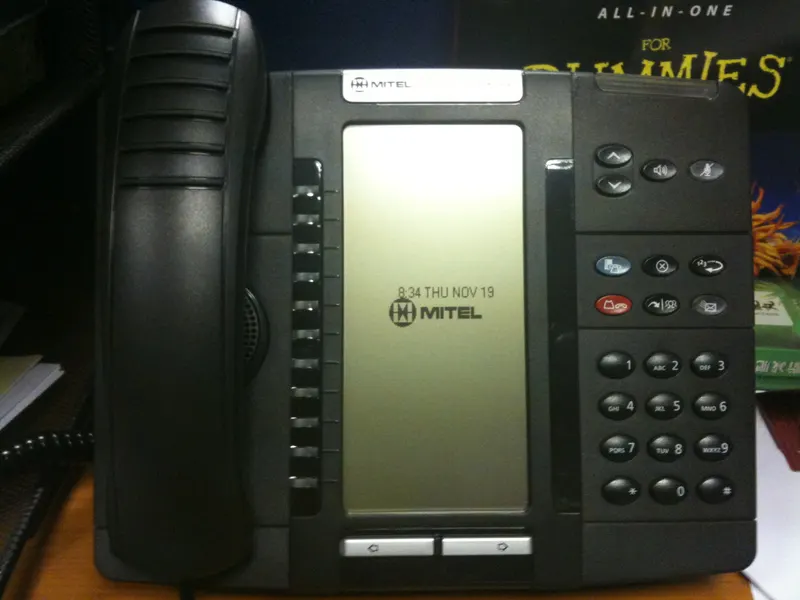
Connecting your phone system to your CRM means every call is logged against the right customer automatically, callers' records appear on screen before you answer, and follow-up tasks create themselves. Getting there takes three things — a phone system with integration capability, a CRM configured to receive call data, and a deliberate choice among native integrations, middleware, and custom connections. This guide walks through all three.
Why this is a strategy decision, not an IT chore
Most small businesses treat phones and software as separate purchases made in separate years by separate people. The phone system came from a telecom vendor; the CRM came from whoever ran sales at the time. The result is two systems that both hold half of every customer conversation — and a team that spends part of each day retyping one into the other.
Connecting the two is one of the highest-leverage integration projects a small company can run, because phone calls are usually where revenue actually happens. Quotes are discussed on calls. Objections surface on calls. Yet in an unconnected setup, calls are the least documented activity in the business: an email leaves a record by default, while a call leaves whatever someone remembers to type afterward — often nothing.
This is also the clearest example of why telecom and automation decisions belong in one conversation. The phone system you choose determines what automation is even possible later, which is a theme that runs through every layer of a growing company's technology stack.
What phone–CRM integration actually does
"Integration" gets used loosely, so it is worth being concrete. A connected phone-and-CRM setup typically delivers some combination of the following:
- Screen pop. An inbound call triggers the caller's CRM record to open before you answer. You greet the caller knowing their open deals, last order, and previous complaints.
- Click-to-dial. Any phone number in the CRM becomes a button. No misdials, no copying numbers between screens.
- Automatic call logging. Every inbound and outbound call is recorded as an activity on the contact: time, duration, direction, and which employee handled it.
- Call outcomes and notes. After hangup, the system prompts for a disposition — reached, left voicemail, quoted, not interested — which keeps pipeline reports honest.
- Missed-call handling. A missed call can create a callback task, alert a manager, or trigger an automatic text-back to the caller so the lead is acknowledged within seconds.
- Recording and voicemail attachment. Where enabled and compliant, recordings or voicemail files attach to the contact record, so context survives staff changes.
None of this requires enterprise budgets anymore. It does require the right foundation on both sides.
Prerequisite one: a phone system that can integrate
The single biggest constraint is the phone system itself. Traditional analog landlines terminate in a wall jack; there is no software surface to connect to. If your service is copper lines into a decades-old desk-phone setup, integration is effectively off the table until the phone layer is modernized — one of several reasons companies weigh VoIP against traditional landlines when the contract comes up.
Modern VoIP platforms, by contrast, are software systems that happen to carry voice. They expose the events an integration needs — call started, call answered, call ended — and most business-grade platforms publish ready-made connectors for the mainstream CRMs. If you are evaluating business VoIP service in Dallas, put integration capability on the requirements list next to call quality and pricing, because it is much harder to bolt on later than to buy right the first time.
Two practical checks before you commit to any phone platform:
- Does it have a published integration for your CRM specifically — not "integrates with CRMs" in general? Ask to see the connector's documentation.
- Does the integration work on the plan tier you intend to buy? Vendors commonly reserve CRM connectors and APIs for mid or upper tiers. A cheap seat license that excludes integration is not cheap once you price the manual logging it forces.
A mobile-heavy team has an extra wrinkle: calls made from personal cell phones bypass the business phone platform entirely and leave no trace anywhere. If field staff live on mobile, look at platforms whose smartphone apps route calls through the business system, so the CRM still sees them. This is also a factor when deciding how many formal phone lines the company needs versus app-based seats.
Prerequisite two: a CRM ready to receive
Integration multiplies whatever the CRM already is. If the CRM is a graveyard of duplicate contacts and unformatted phone numbers, connecting the phones will mostly generate mismatches — calls logged against the wrong record, or against no record, because the caller ID did not match any stored number.
Before connecting anything, get the CRM side in order. That means deduplicated contacts, phone numbers stored in a consistent format, and pipeline stages that reflect how you actually sell — the groundwork covered in our guide to what a small business actually needs from CRM setup. If the CRM was never properly configured, do that project first; our CRM setup and integration service exists largely because integrations built on messy CRMs produce messy results at machine speed.
Four ways to connect them, compared
| Method | How it works | Best for | Watch out for |
|---|---|---|---|
| Native integration | The phone vendor's prebuilt connector for your CRM, enabled in settings | Mainstream CRM + mainstream VoIP pairs | Feature depth varies; some log calls but skip screen pop or outcomes |
| Middleware (iPaaS) | A Zapier-style automation platform relays call events into the CRM | Pairs with no native connector; custom logic on top | Per-task pricing; slight delays; another vendor to manage |
| Direct API build | Custom code between the phone platform's API and the CRM's API | Unusual workflows, custom CRMs, high call volumes | Needs a developer to build and maintain |
| Manual discipline | Staff log calls by hand after each conversation | Nothing — a stopgap only | Decays within weeks; the busiest days produce the fewest logs |
For most Dallas SMEs, the decision tree is short: use the native connector if a good one exists; use middleware when it does not or when you want extra logic (route calls about open support tickets differently, for example); commission a direct build only when volume or workflow genuinely demands it.
A rollout sequence that avoids the common failures
- Map the call flows first. List where calls come from (main line, direct lines, mobile, website), who answers, and what should happen in the CRM for each flow. Integration settings are just this map, encoded.
- Clean the data. Deduplicate contacts and normalize phone numbers so caller-ID matching works.
- Connect in a sandbox or pilot group. Turn the integration on for two or three users. Verify that calls log to the right records, that screen pop fires, and that mobile-app calls are captured.
- Define dispositions before launch. Five or six call outcomes, agreed with the team. If everyone invents their own labels, reporting is noise.
- Roll out with a rule, not a suggestion. The standard is simple: if it is not in the CRM, it did not happen. Managers reinforce it by running pipeline meetings from CRM data only.
- Review after two weeks. Look for unmatched calls, missing mobile calls, and dispositions nobody uses. Tune and move on.
If you are replacing the phone system as part of this project, plan number porting carefully — a botched port takes your main line down at exactly the moment the team is learning new tools. The sequencing details are covered in our guide to porting business numbers without disrupting customers.
What to build once the connection is live
The integration itself is plumbing. The payoff comes from the workflows you run through it:
- Speed-to-lead. A missed call from an unknown number creates a lead, sends the text-back, and queues a callback task. Nobody has to notice the missed call for the process to start — the same principle behind automating lead capture and follow-up on the web-form side.
- Quote follow-through. A call dispositioned "quoted" schedules a follow-up activity automatically, so quotes stop dying of silence.
- Management visibility. Call volume, answer rates, and outcomes per rep appear in CRM reports without anyone compiling a spreadsheet.
- Context on every answer. New hires sound informed on day one because the caller's history is on screen, not in a veteran's memory.
Resist the urge to build all of it at once. Two workflows done well beat eight half-configured.
Text messaging deserves its own mention. Many buyers now prefer a text to a call, and modern platforms let staff send and receive SMS from the business number rather than from personal phones. When that texting runs through the integration, the messages land on the contact record next to the calls — one continuous conversation history instead of fragments scattered across employees' pockets. If texting is part of how your customers reach you, confirm the CRM connector carries messages as well as calls before you commit; plenty log one and ignore the other.
How to tell the integration is actually working
Integrations degrade quietly — an expired authorization here, a staff member dialing from a personal cell there — so build a simple monthly check around four numbers your CRM can now report:
- Logged-call coverage. Compare calls the phone platform carried against activities the CRM recorded. A widening gap means calls are leaking around the integration, usually through personal devices or a broken connector.
- Unmatched-call rate. Calls logged against no contact point to data problems: numbers stored in odd formats, or leads entering through channels that never create records.
- Speed to first callback. The interval between a missed call and the returned call is the single most honest measure of whether your follow-up workflows are doing anything.
- Disposition completeness. If a growing share of calls closes with no outcome recorded, the team is drifting back to habit, and pipeline reports are quietly going stale.
Fifteen minutes with these numbers each month keeps the system trusted. A trusted system gets used; a doubted one gets worked around, and the manual logging you eliminated creeps back in.
Where Forward Konnect fits
Phone–CRM projects sit exactly on the seam between our two practices. On the telecom side, as an authorized AT&T dealer, we help Dallas businesses select and provision phone service that can support integration — and we will tell you plainly when your current setup cannot. On the automation side, we configure the CRM, build the connection, and set up the workflows above. Because one team handles both, the usual gap — the phone vendor blaming the CRM and the CRM consultant blaming the phones — never opens. If you want an assessment of your current setup before committing to anything, that is a short conversation, not a project.
Bottom line
Connecting your phone system to your CRM turns your most valuable customer interactions — live conversations — into records, tasks, and follow-ups that happen automatically. The work is less about software wizardry than about sequence: modern phone platform first, clean and well-configured CRM second, the simplest integration method that fits third, and a handful of high-value workflows last. Companies that follow that order get a system the team actually uses; companies that skip steps get a connector that logs calls nobody looks at.