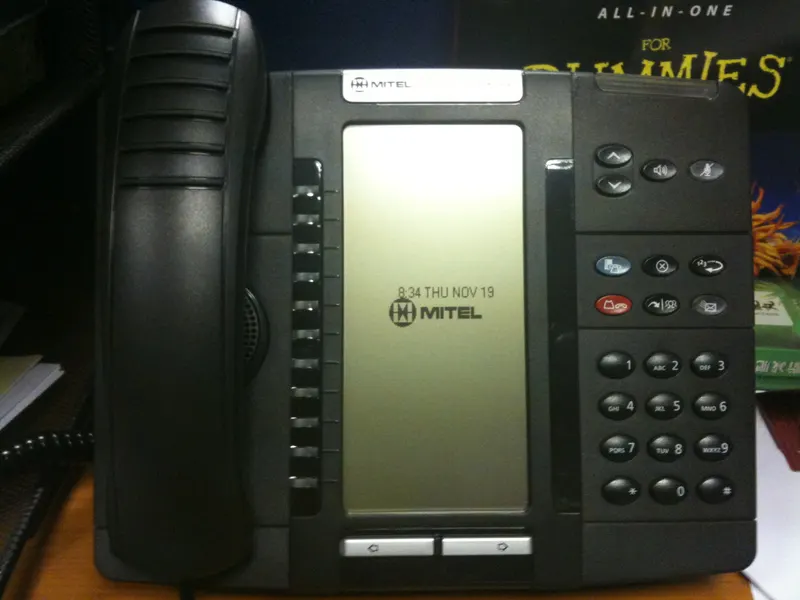
A mobile-first setup runs your business on cell phones alone; VoIP puts a software phone system behind a main business number. Mobile-first wins on simplicity for tiny or field-based teams, while VoIP wins once callers need routing, coverage across a team, and a number that belongs to the business rather than a person. Many companies end up combining them — this guide shows how to decide.
Plenty of Dallas businesses run entirely on cell phones and feel fine about it. The owner's smartphone is the business line, technicians answer their own numbers, and nobody misses the desk phones gathering dust at their last employer. Then the business grows a little — a second crew, a first office hire, a customer who complains that "nobody ever answers" — and the question arrives: do we need a real phone system, or just better discipline with the phones we have? That is the VoIP-versus-mobile-first decision, and it deserves a sharper treatment than "systems are for big companies." The honest answer hinges on one distinction: whether your customers call people or call the business.
Defining the two setups
A mobile-first setup means business telephony is cell phones, full stop. Each person has a number — company-issued or personal — and business cards, ads, and the website list either the owner's mobile or a scatter of individual numbers. There is no shared system: voicemail is each phone's own, and "transferring a call" means reading a colleague's number aloud.
A VoIP setup puts a cloud phone system in front of the team. The business owns a main number; software decides how calls route — to a receptionist, a ring group, an auto-attendant menu — and employees answer through desk phones, computer softphones, or a mobile app. The system, not the handset, holds the intelligence. (If you are weighing VoIP against old-fashioned copper lines instead, that is a different comparison — see our breakdown of VoIP versus traditional landlines.)
Note what the second setup does not require: desks. VoIP apps run on the same smartphones a mobile-first team already carries, which is exactly why the endgame for many businesses is a combination rather than a winner.
Where mobile-first genuinely wins
Mobile-first deserves a fair hearing, because for some businesses it is the right call:
- Simplicity. Nothing to configure, nothing to administer. The phone in your pocket is the whole system.
- True field mobility. A solo contractor or a two-person crew is never at a desk; a system routing calls to an empty office adds nothing.
- One less subscription. No per-seat licenses, no portal, no setup project.
- Direct relationships. Customers who work with one person reach that person — for a solo consultant, that intimacy is a feature, not a bug.
If your business is one to three people, everyone client-facing, and callers genuinely should reach a specific individual, mobile-first is defensible. The task then shifts to choosing wireless service deliberately — coverage where you work, sensible data structure, clean upgrade terms — which is its own discipline, covered in our guide to what teams should compare in business wireless plans.
Where mobile-first breaks
The cracks appear predictably, and they all trace to the same root: the number belongs to a person, not the business.
The unanswered-call problem. When the person is driving, on a ladder, or on another call, the call is simply missed. There is no rollover to a colleague, no queue, no menu — just a personal-sounding voicemail that many customers will not leave a message on. For businesses that live on inbound calls, this is silent revenue leakage.
The turnover problem. If the number customers know is an employee's mobile — worse, a personal one — that relationship walks out the door with them. Years of ads, referrals, and saved contacts point at a phone your business no longer controls. This risk alone pushes many owners toward company-owned numbers, one of the issues weighed in our comparison of BYOD versus company-owned device policies.
The professionalism gap. No main menu, no coordinated hours, no coherent voicemail, caller ID showing a bare cell number. None of this is fatal, but callers notice, especially ones comparing you against a competitor whose phone answers like a business.
The visibility gap. With no system, there is no record: how many calls came in, how many were missed, at what hours. You cannot manage what nothing measures.
What VoIP changes — and what it costs you
Putting a VoIP layer in front of the team converts each weakness into a setting. The main number becomes a business asset that routes wherever you decide: ring the office, then overflow to two mobiles, then to a voicemail that emails a transcription to whoever handles follow-up. Auto-attendants give callers a menu; queues hold them with context instead of dead air. When someone leaves, you reassign their extension in the portal and the number stays yours. Call logs finally answer "how many calls do we miss on Saturdays?" And because the mobile app makes any smartphone a full extension, the field team keeps its mobility — a technician answers the main line from a job site and transfers the caller to the office with two taps.
The costs are real but modest: per-user subscription fees, an hour or two of thought about routing design, and a dependency on connectivity — VoIP calls need internet or data service, and at the office the quality of your connection matters. It is also one more system someone must own; an unadministered phone system slowly drifts out of date like anything else.
The side-by-side
| Dimension | Mobile-first | VoIP system |
|---|---|---|
| Main number belongs to | A person (or nobody) | The business |
| Missed-call handling | Personal voicemail, dead end | Rollover, queues, menus, transcribed voicemail |
| Works from the field | Natively | Via mobile app — same phones |
| Employee departure | Number and relationships may leave | Reassign the extension |
| Call visibility | None | Logs and analytics |
| Admin burden | None | Light, but real |
| Cost shape | Wireless plans only | Wireless plans plus per-user licenses |
| Professional presence | Depends on individuals | Consistent by design |
The hybrid most growing teams land on
Framed as either/or, the question is misleading; the setups compose. The pattern we see most among Dallas small businesses: a VoIP main number with simple routing at the front, mobile apps as the primary endpoints for field staff, and desk phones or softphones only for roles that genuinely sit down — often just the office manager. Wireless service still matters (the apps ride on it in the field), so plan selection and device policy remain live questions; they simply serve the system rather than replacing it.
This hybrid is the natural graduation path from mobile-first: nothing about the team's habits changes on day one except that the business finally owns its front door. Numbers can be ported into the VoIP platform — including a mobile number that has effectively become the business line — so the transition preserves everything customers know. For the wider map of how this fits alongside analog lines and wireless-only designs, see our cornerstone guide to business phone line options in Dallas.
Do not forget texting
An increasing share of customer contact never rings at all. Appointment confirmations, "on my way" notices, photo exchanges with customers — for many Dallas service businesses, texting has quietly become half the phone job. It also sharpens the ownership question: in a mobile-first setup, those conversations live in individual employees' messaging apps, invisible to the business and gone when the employee goes. Business texting on a shared main number changes that — messages to the company number reach a shared inbox the team can see and hand off, and the history stays with the business.
Two practical notes. First, business messaging on a shared number typically requires registration steps that legitimate businesses complete once and spammers cannot — factor that into setup time rather than being surprised by it. Second, whichever setup you run, texting from personal numbers about business matters deserves a policy: customers will save and reply to whatever number texted them, so every personal-number text quietly deepens the turnover problem described earlier.
A realistic migration path from mobile-first
If you conclude the business has outgrown pure mobile-first, the move does not need to be a big-bang project. A sequence that works: choose the VoIP platform and claim or port the main number first, with simple routing — ring two or three phones simultaneously, then voicemail with transcription. Publish that number everywhere as you touch marketing materials anyway. Install the mobile app for the two or three people who answer most calls, and let everyone else continue as before. Then iterate: add a simple menu when call volume justifies it, bring more staff onto the app as roles demand, and add desk hardware only where someone actually sits. Each step is small, reversible, and delivers value on its own — which is exactly how a small business should adopt infrastructure.
How to decide for your team
Work through four questions in order. First, do customers call the business or a specific person? If a main number should exist — check your ads, your website, your Google listing — mobile-first is already straining. Second, what happens today when the usual answerer cannot pick up? If the honest answer is "nothing good," that is the cost of the status quo. Third, who is at a desk? If the answer is "no one, ever," you need the mobile-app flavor of VoIP or none at all. Fourth, can you name the person who would spend an hour a month administering a system? If not, keep it simple until you can.
Forward Konnect helps Dallas businesses run exactly this analysis and then implements the answer — designing and deploying the VoIP phone system side, and, as an authorized AT&T dealer, sorting out the business wireless plans the mobile side rides on. One conversation covers both halves, which is the point: this decision was never really either/or.
Bottom line
Mobile-first is the right setup for very small, field-centric teams whose customers should reach a specific person — provided the wireless side is chosen deliberately. It breaks when the business needs a front door: coverage across a team, routing for missed calls, a number that survives turnover, and visibility into call traffic. VoIP supplies all of that as software, and its mobile apps mean adopting it costs the field team nothing in mobility. Most growing companies end up hybrid — a VoIP main number over the same smartphones they already carry. Decide based on who your customers are really calling; when the answer becomes "the business," it is time for the system.